Contacts Only
If They're Not in Your Contacts, Your Phone Doesn't Ring.
Spam calls, robocalls, scam “warranty” calls, surveys — silenced before the first ring. Contacts Only™ does the one thing your phone should already do: people saved in your contacts always get through, and everyone else doesn’t. One switch. No subscriptions. No tracking. No ads. Less than three dollars.
For Android 10 and newer • One-time $2.99 • No subscription, ever
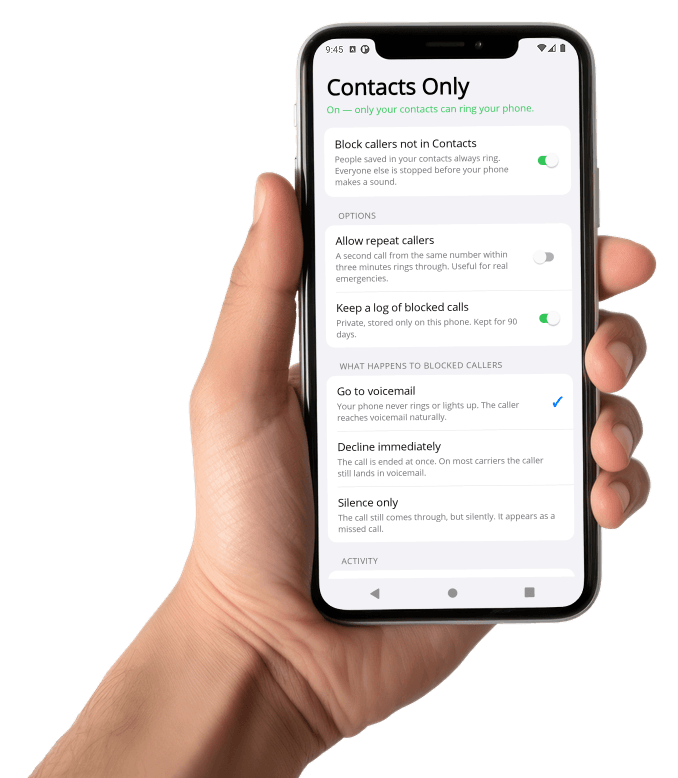
Take Back Your Phone
The average cell phone gets bombarded by strangers: auto-warranty scams, fake deliveries, “quick surveys,” spoofed local numbers. Carrier apps charge a monthly fee to guess which calls are spam. Contacts Only doesn’t guess. It applies the one rule most people actually want:
“If you’re not in my contacts, don’t ring my phone.”
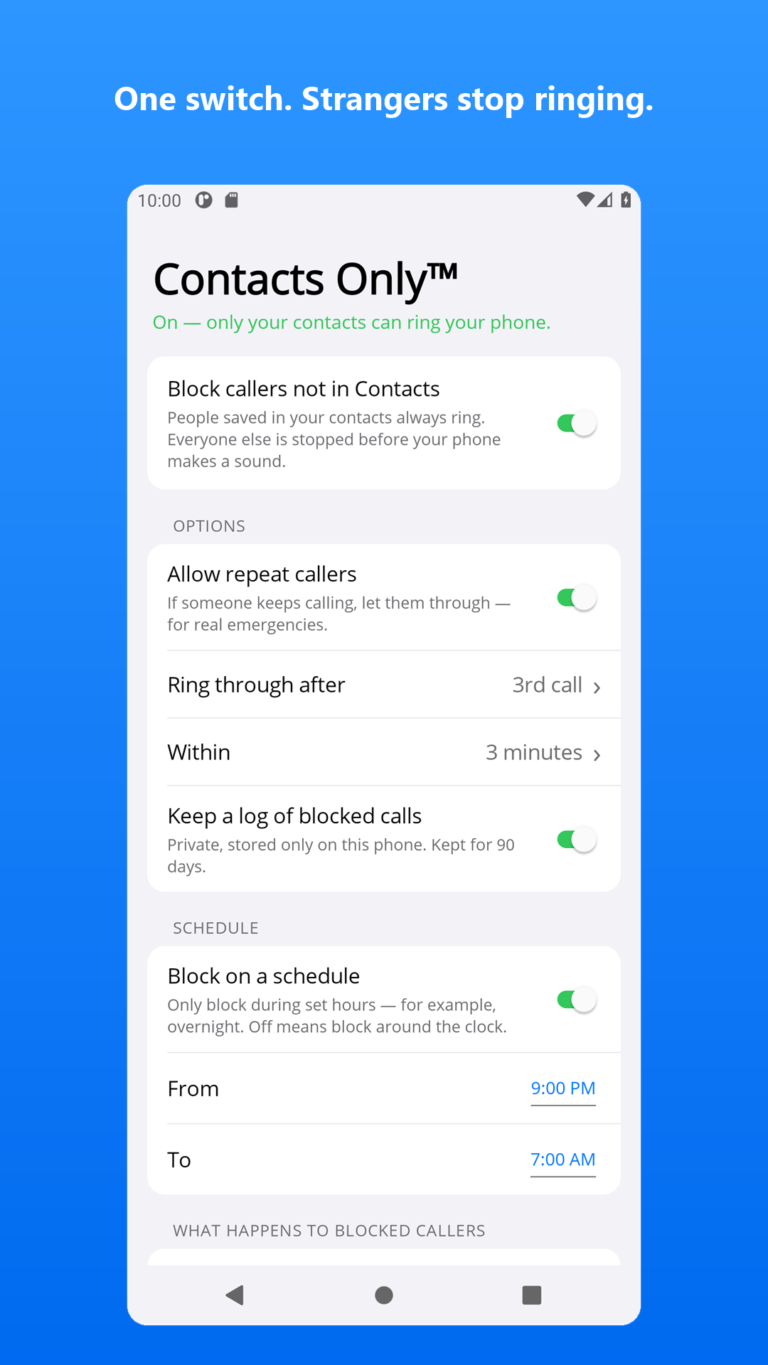
- One switch: Block callers not in Contacts
- Your saved contacts always ring — Android itself guarantees it
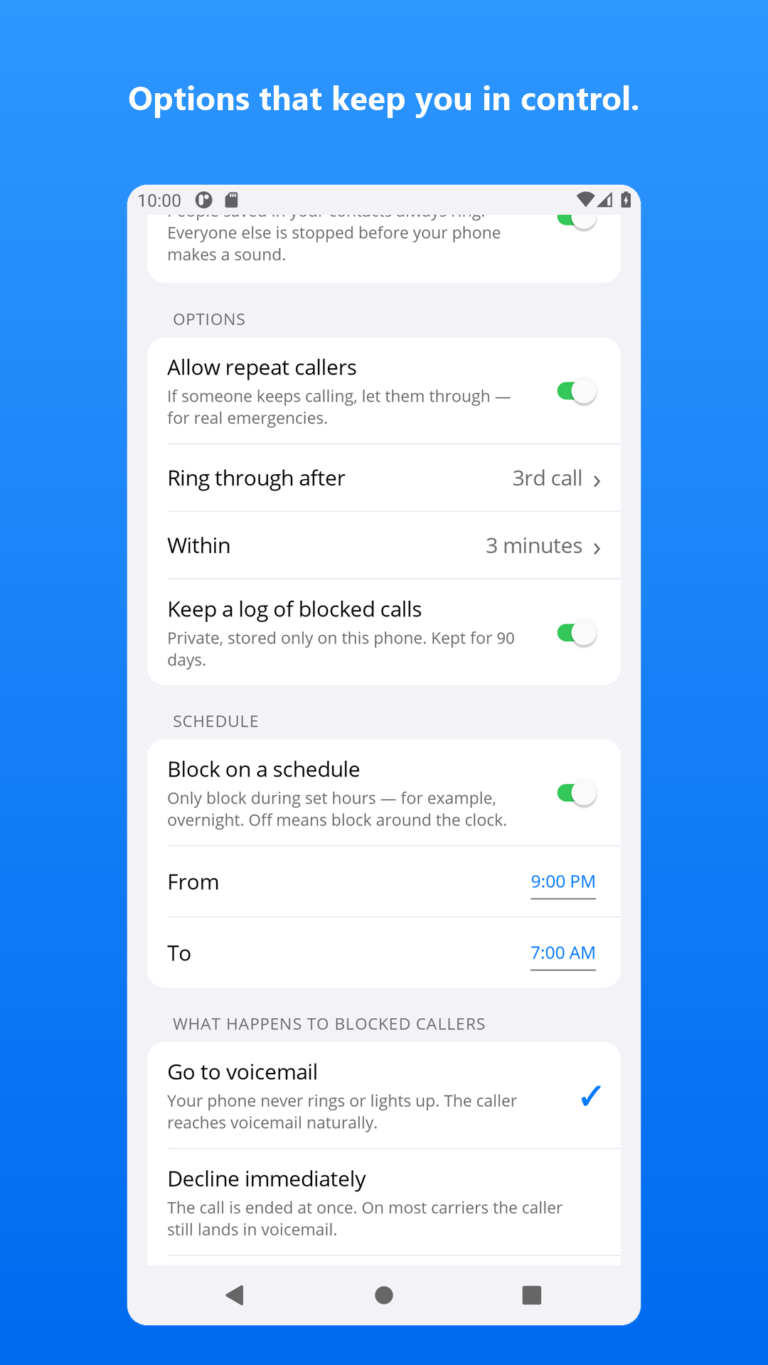
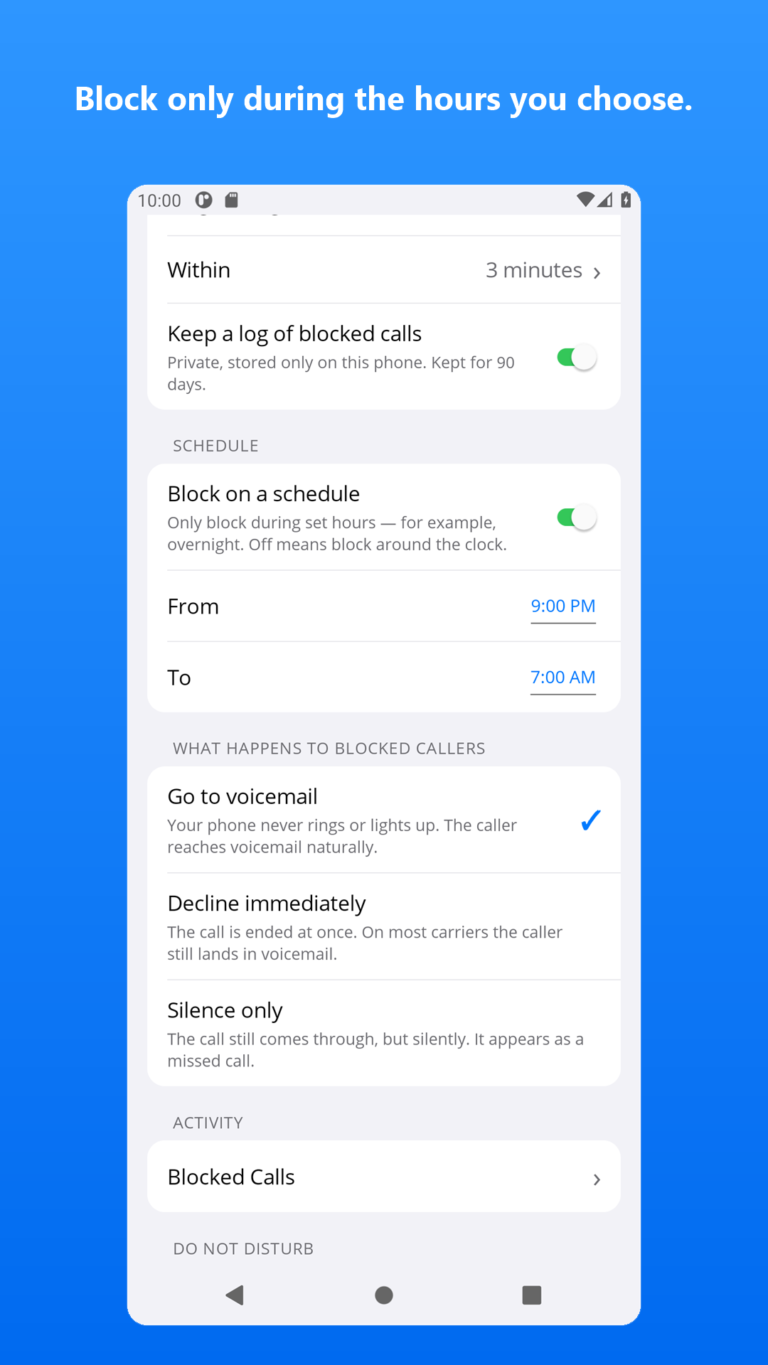
- Blocked callers go to voicemail, get declined, or ring silently — your choice
- Repeat-caller safety valve: a second call within 3 minutes rings through
- Private, on-device log of every blocked call
- Works alongside Do Not Disturb, not against it
- No spam databases or “community lists” to maintain
- Nothing runs in the background — zero battery drain
How It Works
1. Flip the switch
Install Contacts Only and turn on its single switch. Android asks you to approve it as your phone’s call screening app — one tap.
2. Android checks your contacts
When a call comes in, Android itself checks your contact list. Saved contacts ring normally — the app is never even consulted about them.
3. Strangers never ring
Everyone else is handed to Contacts Only and stopped before your phone makes a sound. No ring, no lit screen, no missed-call notification.
Private by Design. Provably.
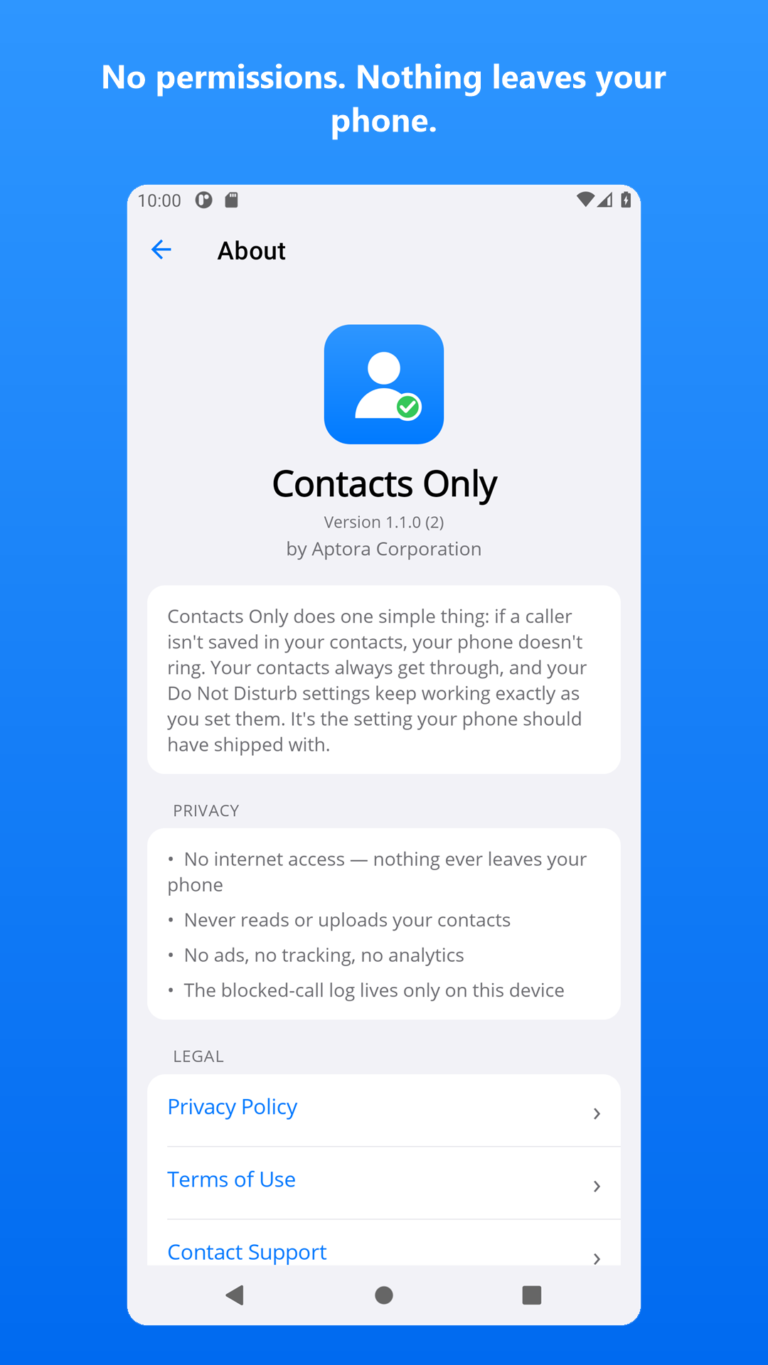
Most call-blocker apps want your contacts, your call history, and a monthly fee to check callers against their cloud database. Contacts Only requests no permissions at all — you can verify that on the Play Store listing yourself.
- No internet access. The app literally cannot send data anywhere — Android won’t let it.
- Never reads your contacts. Android checks your contact list itself and only tells the app about callers who aren’t in it.
- No ads, no tracking, no analytics. There’s nothing to track with.
- The blocked-call log stays on your phone. Kept 90 days, excluded from cloud backups, deleted when you clear it or uninstall.

You Stay in Control
Blocking strangers shouldn’t mean missing a real emergency. Contacts Only ships with sensible options:
- Allow repeat callers — someone calling a certain times within a certain number of minutes (you set these values) rings through, the same convention iPhones use. Off by default; one tap to enable.
- Choose the caller’s experience — send them to voicemail naturally, decline instantly, or let the call ring silently and show as missed.
- Private blocked-call log — see who was stopped and when, and clear it anytime.
- Do Not Disturb still works — want only Favorites to ring at night? Contacts Only decides who can reach your phone; DND decides when it makes sound.
- Block on a Schedule — Decide when to use the blocking feature.
Honest Answers
Will I miss calls I actually wanted?
Possibly — that’s the trade-off of blocking strangers, and we won’t pretend otherwise. A new doctor’s office or your kid’s school calling from an unknown number gets blocked too. That’s exactly what the repeat-caller option is for, and blocked calls still appear in the app’s log and in your phone’s call history as “Blocked,” so nothing disappears without a trace.
Do blocked callers know they're blocked?
In the default mode, no — their call simply rings to voicemail like your phone was in your pocket. On most carriers they can still leave a message.
Does it replace my Samsung/Google spam screening?
Yes. Android allows one call-screening app at a time, so approving Contacts Only replaces the built-in caller ID & spam service while it’s active. Switch back anytime in Settings.
Why $2.99? Why not free?
Because free call apps have to make money somehow — usually with your data. A few dollars help us keep the lights on with zero ads, zero tracking, and zero subscriptions.
What about iPhone?
Apple builds this feature into iOS: Settings → Phone → Silence Unknown Callers. Android has no built-in equivalent — which is why Contacts Only exists.
A Few Dollars. One Switch. Silence.
Stop letting strangers decide when your phone makes noise.
Contacts Only is published by Aptora Corporation. Privacy Policy • Terms of Use • Requires Android 10 or newer. Google Play and the Google Play logo are trademarks of Google LLC.