What is Field Service Inventory Management Software?
You’re running a field service business and you’ve got vans rolling out every morning. But do you really know what’s inside them? More importantly, do you know what’s not inside them until a technician is standing at a customer’s door without the right part?
Field service inventory management software is the system that tracks and controls every part, tool, and supply across your warehouse, trucks, technicians, and job sites – so you know what you have, where it is, and when to reorder. Think of it as inventory with a field-service brain: it ties parts to work orders, updates counts as items are used, and helps you keep the right stock in the right place.
At a glance, it helps you:
- See inventory by location (warehouse, truck, tech, bin)
- Capture parts used on jobs (so costs and margins aren’t guesswork)
- Prevent stockouts and overbuying with reorder points and replenishment
If you are an amateur business owner or an accountant trying to get a handle on the chaos of parts, tools, and supplies, you have come to the right place. Let’s break down exactly what field service inventory management software does, why it is the financial backbone of your operation, and how it saves you from throwing money out the window.
The Hidden Leak in Your Business
Inventory is often the second largest expense for a trade business after labor. Yet, it is usually the most mismanaged. Without a digital system, you are likely suffering from “shrinkage” – parts walking off, expiring, or getting lost in the back of a van.
Proper software transforms your parts and supplies from a chaotic mess into a trackable, profitable asset. It bridges the gap between the warehouse, the truck, and the job site.
Core Features of Contractor Inventory Management Software
When evaluating a system, you need to look beyond just counting boxes. The best platforms, like those developed here at Aptora, treats every warehouse and every truck like a controlled inventory location and makes it easy to find, move, and account for what you own without burning labor hours.
Bin Location Tracking
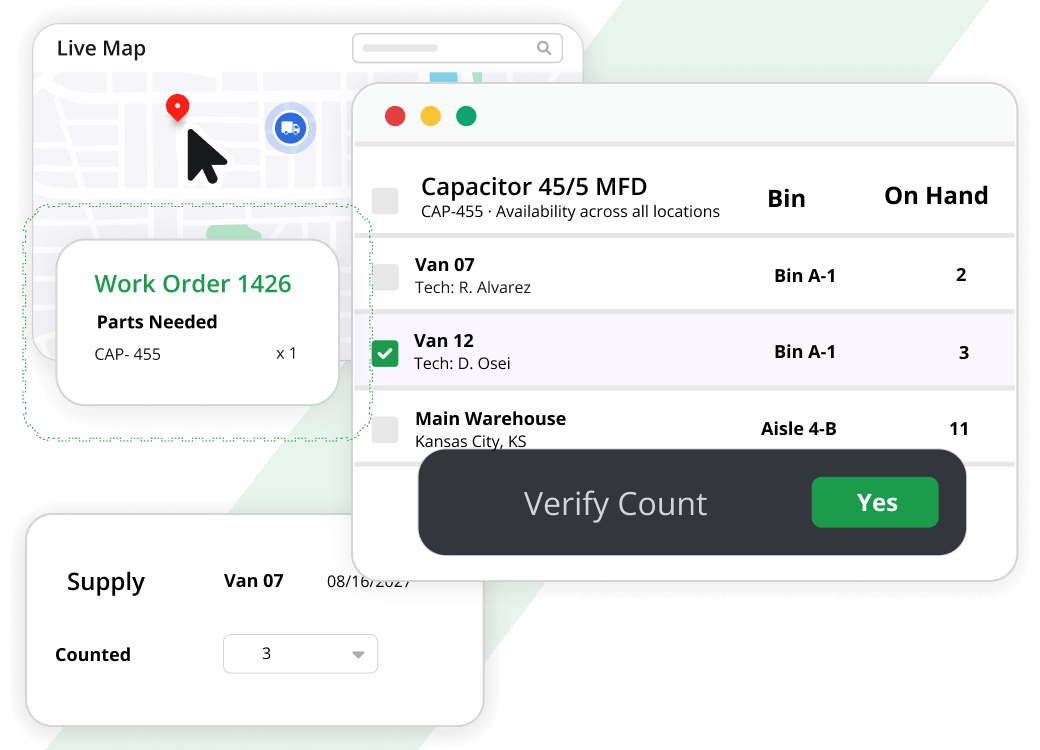
Bin location tracking should let you set an exact location for each item – inside a warehouse or a truck – so your team isn’t hunting around when a job is waiting. When the software can point to the right spot every time, locating parts gets easier, and even your counting and auditing becomes far less labor-intensive.
Bar Code Integration
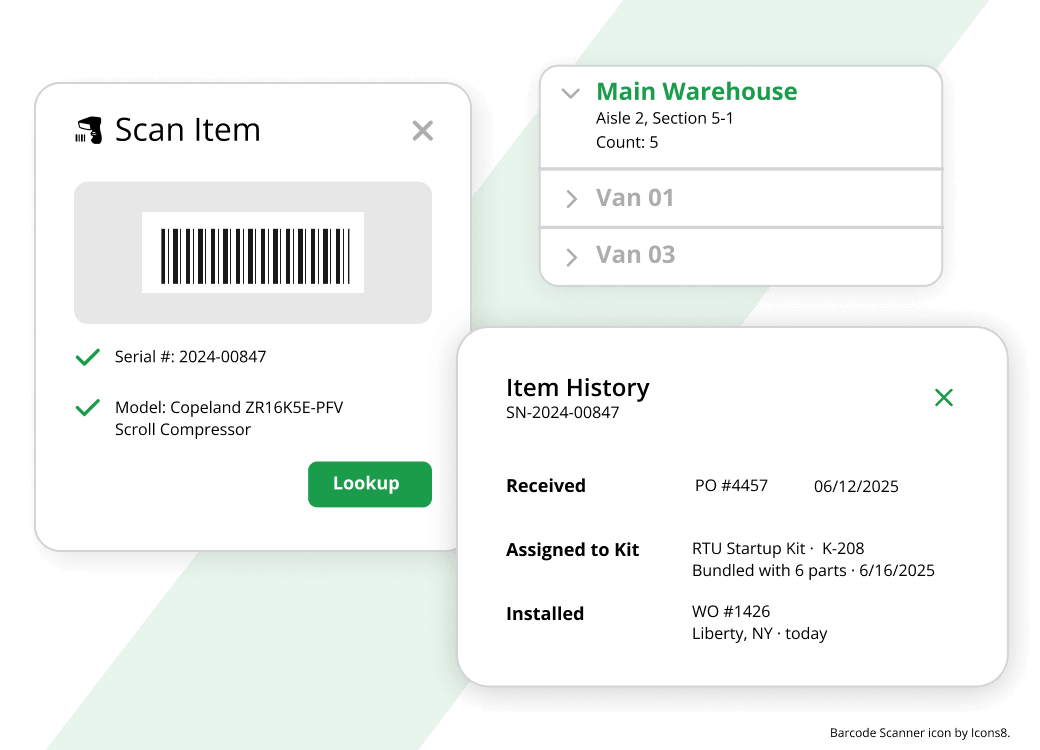
Bar codes aren’t a “nice to have” – they’re how you keep data entry fast and accurate. A solid system lets you print and scan bar codes to enter or relieve inventory, scan to fill out forms and look up information, and even scan the supplier’s existing label by using Item Aliases (multiple part numbers tied to the same item). That’s how you speed up receiving and stop typos from sneaking into your numbers.
Track Inventory by Vehicle
Your vehicles are rolling warehouses, so your inventory software has to track stock by truck. The goal is simple: see what items a job needs and check what’s on each truck before you dispatch, so you can send the right tech with the right part and cut down on extra travel and wasted time.
Serial Number Tracking
For equipment and higher-dollar parts, serial number tracking gives you clean, item-specific accountability. When each unit is tracked by serial number, searching becomes fast and accurate, and you’ve got a clearer trail on what happened to that specific piece of equipment over time.
Multiple Business Locations
If you’re operating out of more than one shop, you shouldn’t be juggling separate databases. The software should let you set up warehouses for different business locations while keeping everything viewed and managed in one place, so inventory stays consistent across the company as you grow.
Kitting and Assemblies: Saving Time on the Job
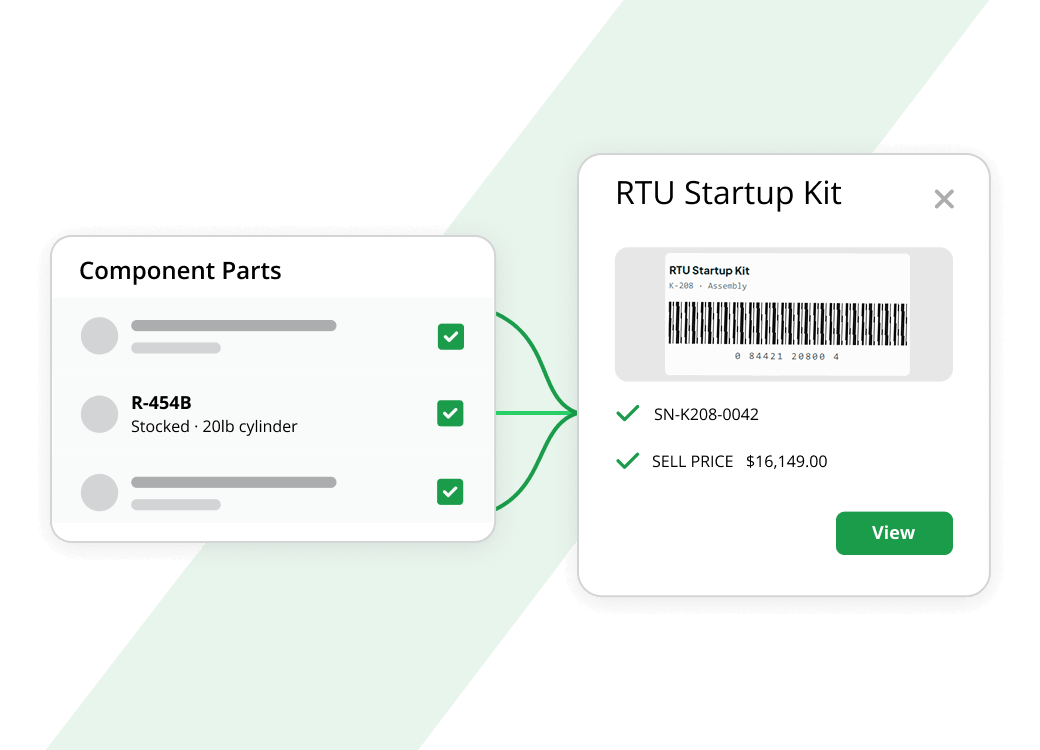
One of the biggest time-wasters in the field is pulling multiple parts for a single task. This is where advanced features come into play. You should be able to create kits and groups.
For example, if you install a water heater, you always use the heater itself, two flex lines, a shut-off valve, and a transition fitting. Instead of typing in five items on an invoice, you type in one SKU for the “Water Heater Install Kit.”
- Item Assembly: This takes it a step further. Perhaps you manufacture your own ductwork or assemble custom panels. Our inventory software allows you to build a finished item from its components, automatically removing the raw materials from stock.
- Component Management: As you build these kits, the system automatically relieves the components from inventory, ensuring your counts remain accurate.
On-The-Fly Pricing and Costing
Inventory management isn’t just about quantities; it is about profitability. Your software must handle the financial side with precision.
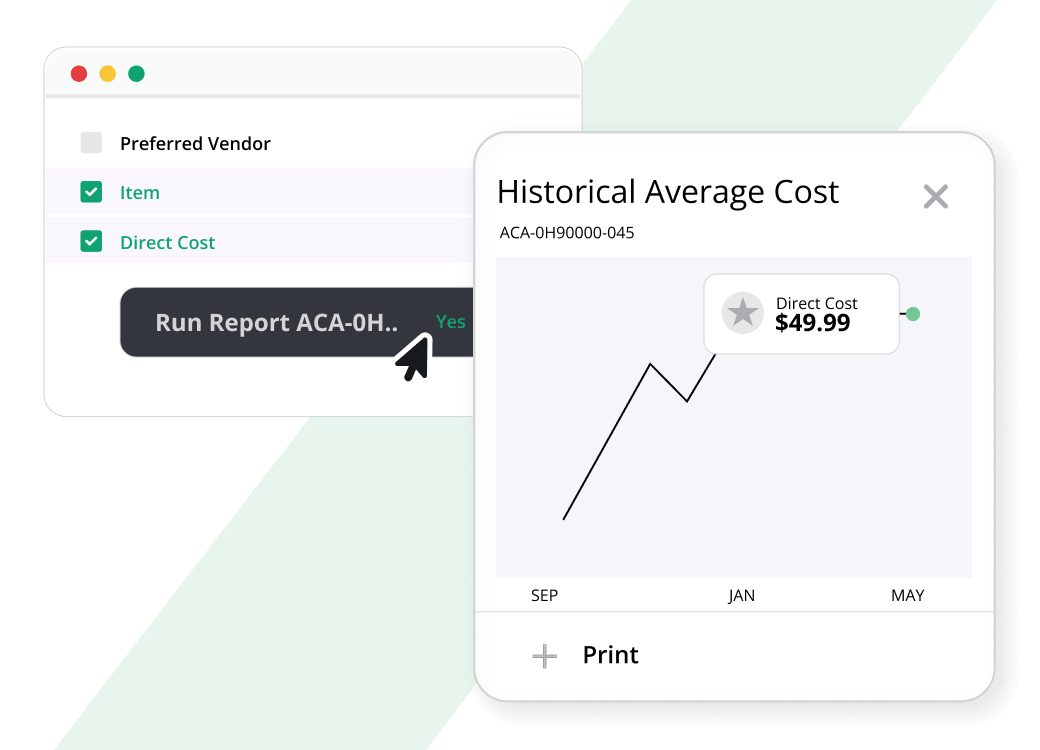
- Historical Average Cost: This is a non-negotiable feature for accountants. The system must track the average cost of an item over time. If you need to back-date an invoice or a bill three months, the software should apply the correct inventory cost from that period, not today’s price.
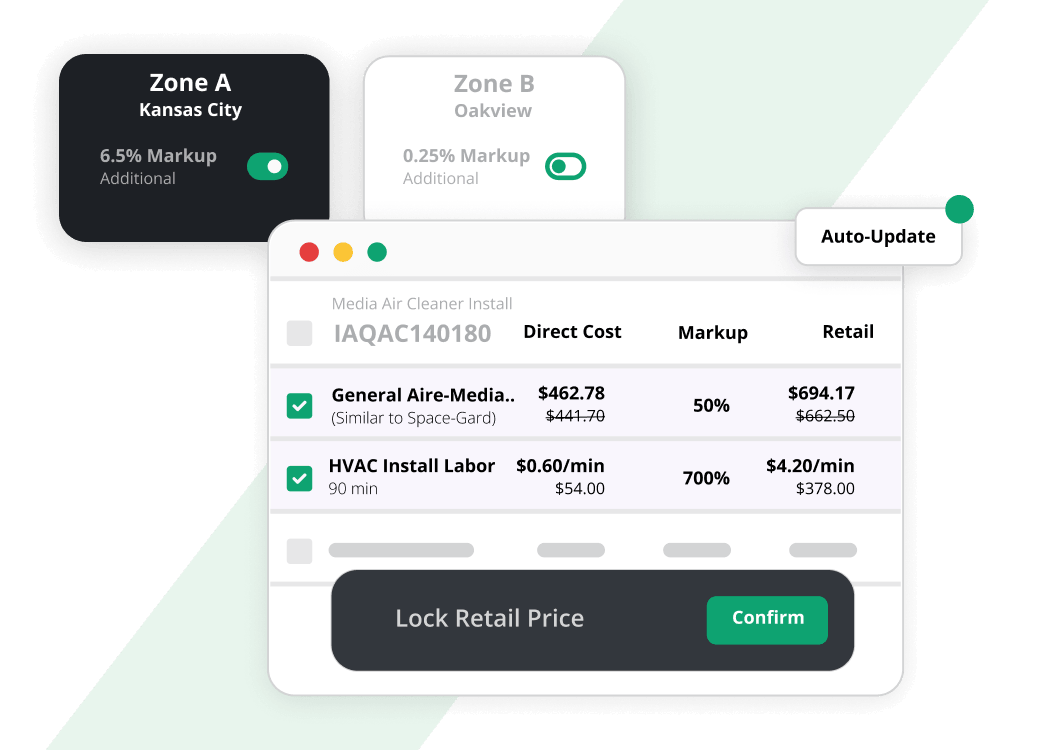
- Zone Pricing: You might charge a different price to commercial customers than residential ones. Your software should allow you to create zone pricing structures that automatically apply the correct markup based on who you are billing.
- Automatic Price Adjustments: When your supplier raises prices, you shouldn’t have to manually update 5,000 SKUs. The software should allow you to adjust pricing based on a percentage increase from the supplier.
Real Time Visibility: The Real Advantage
Why is real time inventory management software so critical? Because inventory is fluid. It moves every time a tech grabs a part or a delivery arrives.
- Instant Updates: When a technician closes an invoice on their phone in the field, that part should immediately be removed from their truck stock count in the office.
- Reorder Alerts: Set minimum quantities. When truck stock for a specific fitting drops below five, the system should alert the purchasing manager to reorder.
- Cycle Counting: Instead of shutting down for a full year-end count, real time software allows you to count a few bins every week. Because the data is always live, discrepancies are found and fixed immediately, not months later.
Contractor Inventory Software: Designed for the Trades
Off-the-shelf inventory software for retail stores won’t work for you. You need contractor inventory software built for the unique flow of a service business.
- Mobile Access: Your techs need to see what’s in their truck while standing in a customer’s basement. They need a mobile app, not a desktop program.
- Dispatch Integration: The dispatcher needs to see inventory levels when scheduling. If a job requires a specific part, and that part is only in Truck 4, they need to send Truck 4.
- Vendor Management: You likely buy from multiple suppliers. The software should allow you to assign different part numbers from different vendors to the same internal SKU, making purchasing and receiving easier.
Get Started with Aptora Now
If you’re ready to stop bleeding money through “missing” parts, double orders, and emergency supply-house runs, put a real system behind your trucks. Aptora’s inventory management software was built for contractors who need warehouse-level control with field-level speed so every part is tracked, every job is costed correctly, and every reorder happens before you’re in a bind.
Request a demo and start running inventory like a profit center instead of a perpetual fire drill.








Truly powerful software that captures a ton of important data that can be used to optimize your service business.
Michael King CFO & CPA