

Form Builder Software
Build custom forms for every custom job
Create polished forms that fit every job, capture critical details, and and keep operations running smoothly.
Key Features of Form Builder
Forms built for real fieldwork
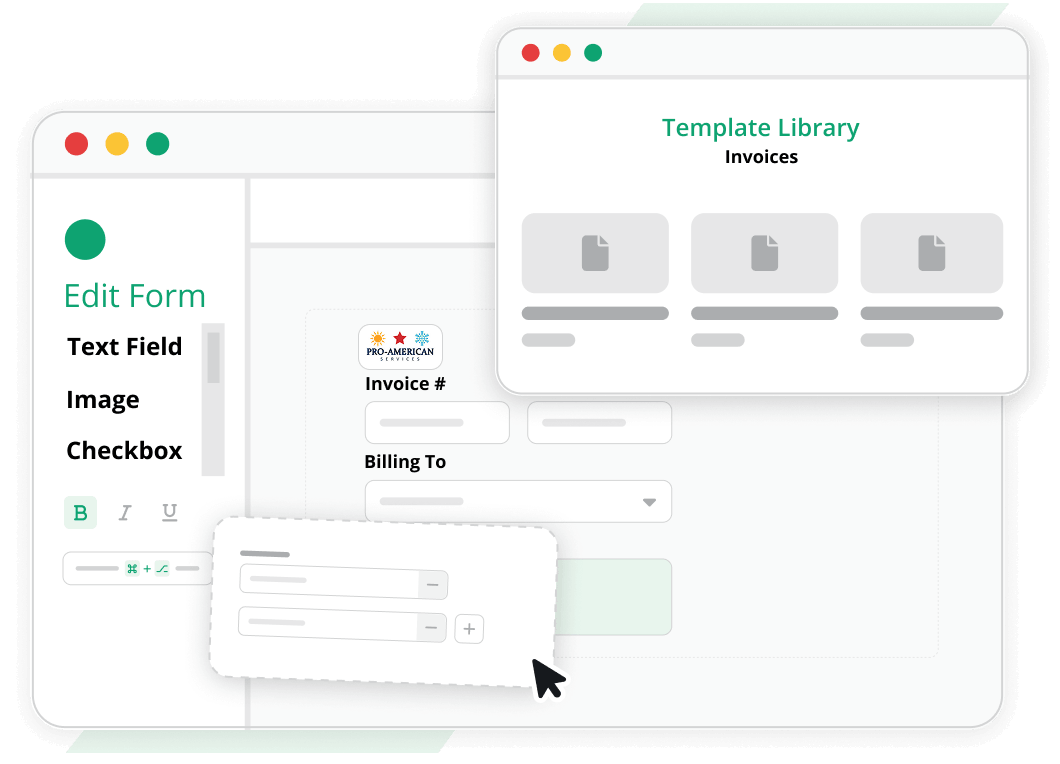
Create polished job forms without paying for custom development
Design forms with custom labels, data fields, calculations, and selectors, so your team collects cleaner information without programmer-heavy setup.
- Add custom fields and labels
- Build reusable templates in minutes
- Reuse templates across workflows
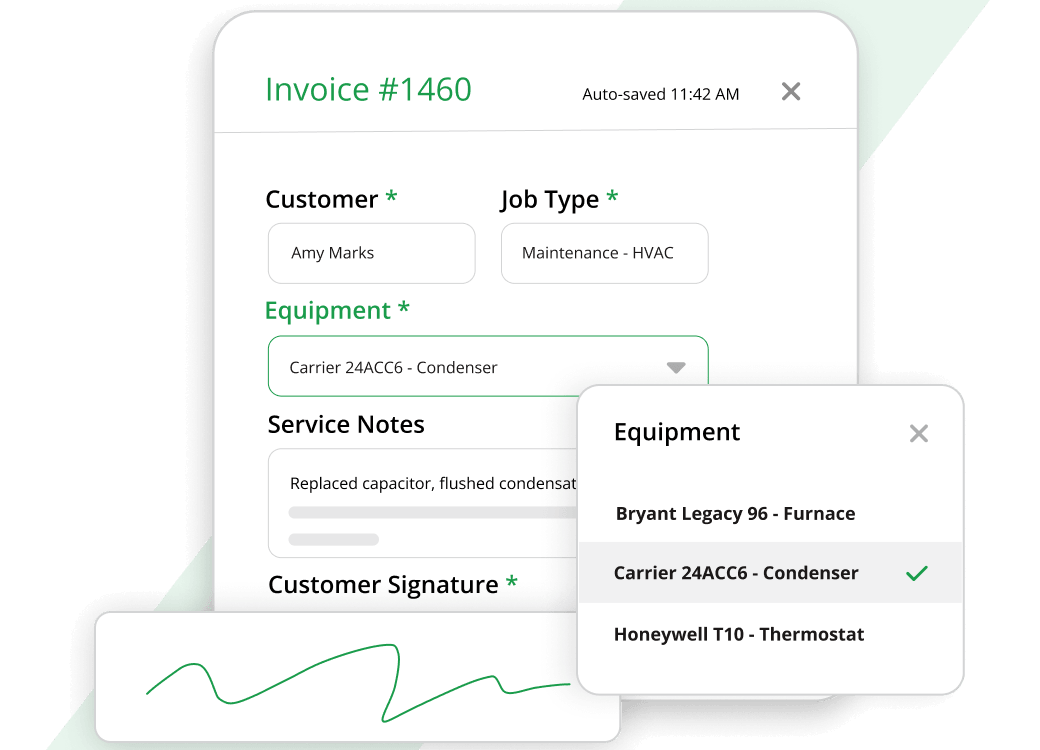
Capture the right job details on every visit
Give technicians forms that guide signatures, equipment details, service notes, and required inputs, so the office gets cleaner field data without back-and-forth.
- Add signature boxes and equipment selectors
- Give office teams instant visibility
- Reduce paperwork and manual reentry
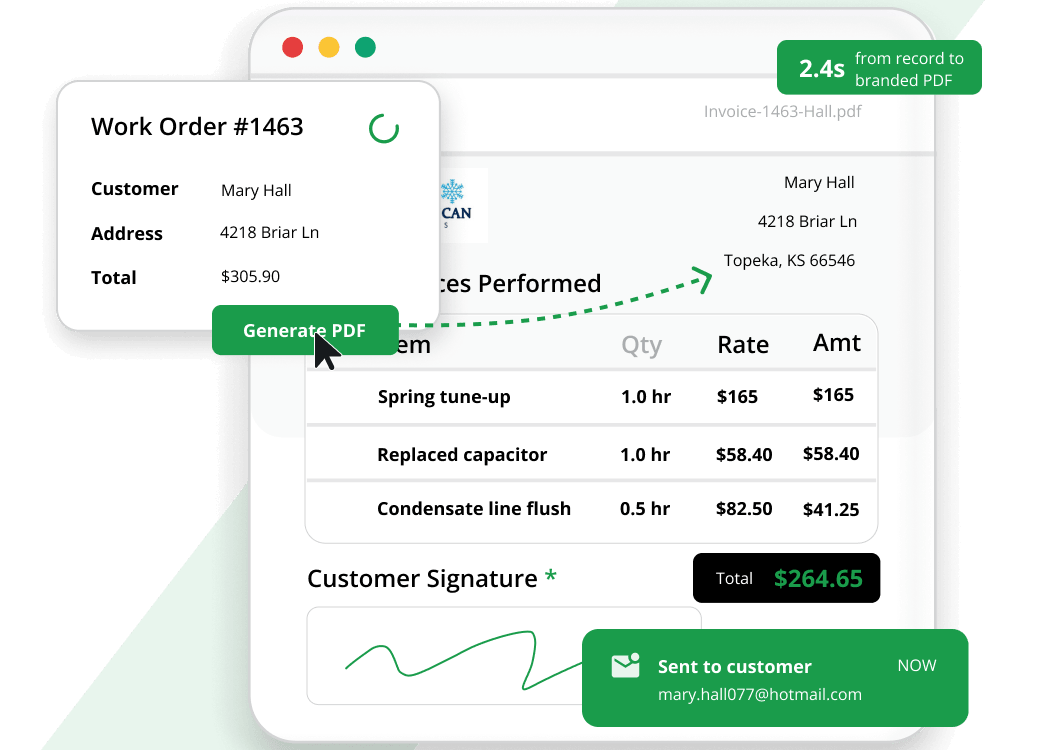
Turn completed forms into polished PDFs customers can trust
Generate consistent PDFs from your custom forms and launch them from the records your team already uses to save time and present work professionally.
- Deliver cleaner customer-facing PDFs
- Auto-fill record data instantly
- Keep customer PDFs presentation-ready
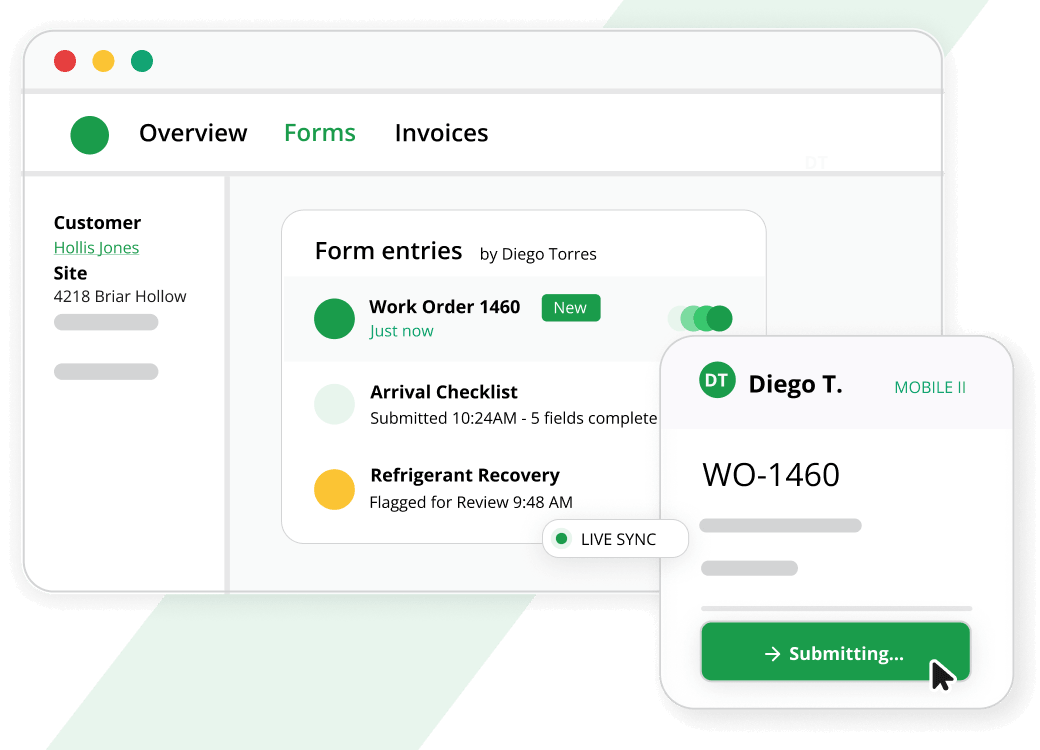
Keep your office and field team on the same page
Form data is saved instantly, giving office staff immediate visibility while technicians keep jobs moving without waiting on calls, texts, or paperwork.
- Instant office access to submissions
- View entries inside desktop records
- Pull context from source records
Give every user the right access and nothing extra
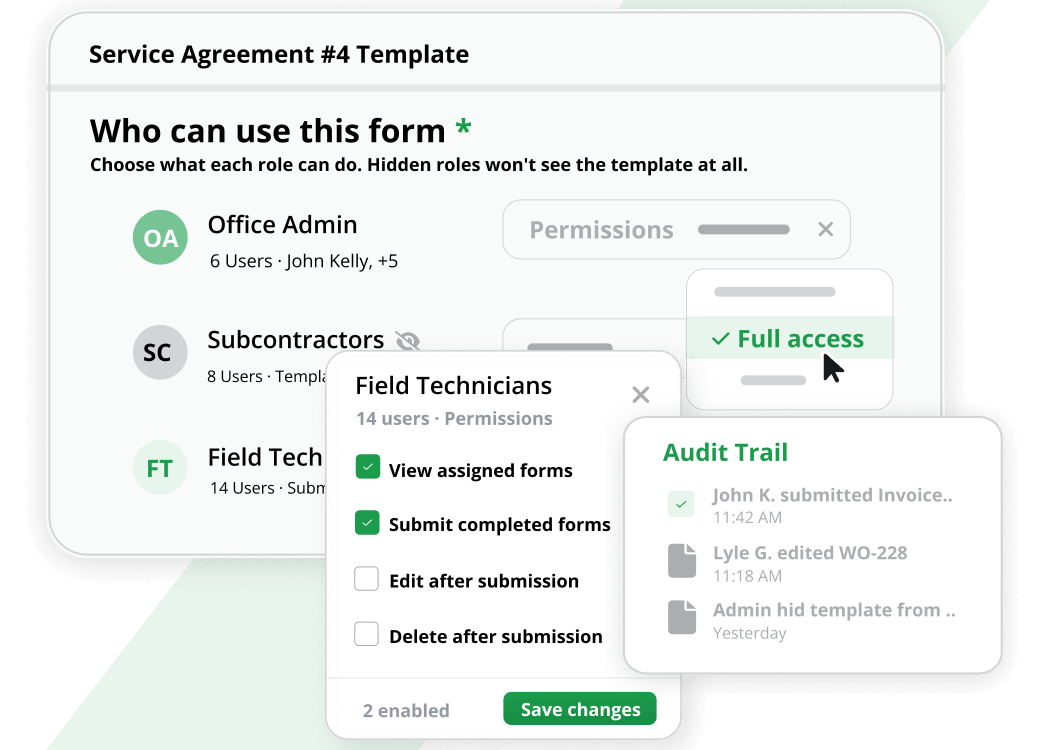
Set permissions by form and feature, restrict edits and deletes, and keep completed documents trustworthy with controls that support cleaner accountability.
- Hide templates from specific users
- Track user activity with audit trail
- Protect submissions with SSL encryption
0
X
faster billing and cash collection cycle
0
%
average revenue growth in year one
Run your entire field service business on one unified platform without duct tape

“I built Aptora because contractors deserve better than pieced-together software. Aptora is the only true all-in-one system, built from the ground up to run your entire business without duct tape.”

Mr. HVAC
Founder, Aptora Corporation
Explore solutions for your trade
Support that goes beyond software
At Aptora, we believe in the value of direct, knowledgeable support. That’s why all technical support is performed in-house by trained professionals with ongoing education.
What Exactly Is Form Builder Software?
Think of form builder software as your digital toolbox for creating any document your business needs. Instead of printing stacks of blank forms and hoping your techs fill them out correctly, you build once and deploy instantly to every mobile device in your fleet.
You don’t need to be a programmer. You don’t need to hire an expensive consultant. With the right tool, you can create everything from a simple vehicle inspection checklist to a multi-page service agreement with signature fields and calculated totals.
The core idea is simple: design a form on your computer, push it to your technicians’ tablets or phones, and watch as clean, legible, structured data flows back to your office in real time.
Why Field Service Contractors Desperately Need Digital Forms
We’ve consulted with thousands of contractors over the years, and one problem keeps coming up: paper is killing your efficiency. Let’s break down why form builder software for field service isn’t a luxury – it’s a competitive necessity.
The Paper Problem
- Lost or damaged forms cost you billable hours every single week
- Illegible handwriting leads to billing disputes and rework
- Manual data entry eats up office staff time and introduces errors
- Paper forms sit in trucks for days before anyone sees them
- You can’t search, sort, or analyze handwritten notes
The Digital Solution
When you switch to mobile forms, everything changes. Your technicians capture data at the source, and that information lands instantly in your office database. No more waiting. No more guessing. No more double-entry.
The results speak for themselves. Contractors who go paperless typically see:
- 40–60% less processing time per work order
- Significant savings on paper, printing, and storage costs
- Faster invoice turnaround because signatures and completion data arrive immediately
- Fewer customer complaints due to clear, professional documentation
- Complete visibility into field operations from your desktop
The Anatomy of Great Form Builder Software
Not all form builders are created equal. As you evaluate your options, here are the essential features you need to look for – and exactly how Aptora 360 delivers on every single one.
Drag-and-Drop Form Creation
You should never need to write a single line of code. Look for software that lets you build forms visually, dragging and dropping the fields you need onto a canvas.
What Aptora 360 provides: Our Form Builder lets you quickly build data entry screens in three easy steps. You can add custom labels, text boxes, selection lists, yes/no switches, calculation fields, sub-totals, signature boxes, and even a customer equipment selector. In minutes, you can create forms that once required expensive programmers.
Offline Capability
Your technicians don’t always have reliable cell service. Basements, remote job sites, and rural areas can kill your digital workflow if your forms require an internet connection.
What Aptora 360 provides: Our Form Builder works offline. Your techs fill out forms in the field regardless of connectivity. As soon as they’re back online, everything syncs automatically to your database.
Signature Capture
A signed work order or service agreement is your proof of completion and your ticket to getting paid. Without electronic signatures, you’re still chasing paper.
What Aptora 360 provides: Every form you build can include signature fields. Your technician gets a customer’s signature right on the tablet, and that signature becomes part of the permanent record – attached to the work order, stored in the database, and printed on the PDF you email or hand to the customer.
PDF Generation
Your customers expect professional-looking documents. A plain data screen won’t cut it when you need to hand a homeowner a completed inspection report or service invoice.
What Aptora 360 provides: Once your data entry screens are built, you create matching PDF templates that can be stored, printed, and emailed. All the information your tech enters flows automatically into those PDFs, producing clean, branded documents on the spot.
Data Integration
A form that just sits on a tablet is only half the solution. The real value comes when that data connects to the rest of your business – your customer records, your work orders, your invoices, your reports.
What Aptora 360 provides: This is where we truly shine. Because our Form Builder is a plugin for Aptora 360, every piece of data your technicians enter is immediately saved to your Aptora database. The office staff has instant access. The data can be combined with customer history. You can even build custom reports using the Custom Data Viewer. That’s complete integration, not a siloed point solution.
Custom Reporting
Data is useless if you can’t analyze it. You need to be able to spot trends, identify problems, and make informed decisions based on what’s happening in the field.
What Aptora 360 provides: Our field reporting software lets you create rich, formatted reports from the data you collect. Your management team gets the information they need to drive the business forward. Want to know how many vehicle inspections passed last month? Build a report. Tracking customer satisfaction survey scores? Build a report. The power is in your hands.
Launch Forms from Any Record
Context saves time. When you’re working on a specific customer, job, or work order, you shouldn’t have to re-enter basic information every time you open a form.
What Aptora 360 provides: You can launch your custom forms directly from customers, jobs, work orders, sales opportunities, invoices, company assets, employees, and vendors. When the form opens, it automatically pulls in information from the originating record. That’s time saved on every single transaction.
Unlimited Forms
Some software vendors limit how many forms you can create or charge you per template. That’s a hidden cost you don’t need.
What Aptora 360 provides: Create as many forms as you wish. There is no limit to the number of forms and templates you may create. Build one for every scenario – service agreements, inspection reports, vehicle checklists, safety audits, customer surveys, time sheets, material requests, incident reports, anything you can imagine.
No Programming Skills Required
We built Aptora for contractors, not software engineers. Every tool we create has to be usable by someone who’s more comfortable with a wrench than a keyboard.
What Aptora 360 provides: We built the Form Builder to be as simple as possible to set up and maintain. You do not need any special skills or knowledge. With a little bit of training, you should be able to create almost anything you need. And yes, we provide training.
Real-World Forms You Can Build Today
Let me give you some concrete examples of what you can create with Aptora’s form builder software. These aren’t theoretical – they’re forms contractors are using right now to run better businesses.
Building Inspection Reports
Your technician walks through a job site, checks off each item, notes any deficiencies, and captures photos. The completed report prints on the spot for the customer and saves to your database for future reference.
Service Agreements
New customer? Have your tech pull up a service agreement form right on their tablet. Capture customer information, select the service level, collect a signature, and email a copy before they leave the driveway.
Vehicle Inspection Checklists
Before any truck leaves the shop, your driver completes a digital checklist. Tires? Check. Lights? Check. Safety equipment? Check. The form is time-stamped and tied to the employee record. If something comes up later, you have documentation.
Customer Satisfaction Surveys
After every job, your technician hands the tablet to the customer for a quick survey. How was the service? Would you recommend us? Any additional comments? You get real feedback while the experience is still fresh.
Job Safety Analysis Forms
Safety isn’t optional. Build forms that walk your techs through hazard identification, required PPE, and job-specific safety protocols. Signed and dated records protect both your people and your business.
Equipment Maintenance Logs
For customers with ongoing service needs, track every maintenance visit in a structured form. Capture model numbers, service performed, parts used, and next recommended service date. Build a history that makes every future call faster and more profitable.
Material Requisition Forms
Let your technicians request parts and materials from the truck or warehouse through a simple digital form. Approval workflows ensure proper authorization, and the request links directly to the job.
Time Sheets
Replace paper time cards with digital time sheets that tie to specific jobs and tasks. Your payroll process gets faster, and your job costing gets more accurate because every hour is properly allocated.
Common Questions About Form Builder Software
Can I use my existing paper forms?
Absolutely. If you already have forms that work for your business, you can digitize them. Scan your paper forms, convert them to PDF, add form fields, and import them into our system. You don’t have to reinvent the wheel.
Do my technicians need special training?
No. Our form builder is designed to be intuitive. If your techs can use a smartphone or tablet, they can fill out forms. The office team might need a few hours to learn how to build and manage forms, but we provide training and support.
Is my data secure?
Yes. Your data lives in a Microsoft SQL Server database that you fully control. We don’t hold your data hostage. If you ever decide to leave, your data goes with you.
Does this work with QuickBooks?
Aptora 360 completely replaces QuickBooks. We’re an all-in-one solution. That said, we can migrate your historical QuickBooks financial information so you don’t lose anything in the transition.
What industries do you serve?
We build software for HVAC, plumbing, electrical, roofing, locksmith, lawn care, appliance repair, and any other service-related trade. If you send technicians into the field, we’ve got you covered.
Get Started with Aptora 360 Now
Paper forms are costing you time, money, and opportunities. Every lost work order, every illegible note, every hour of manual data entry is profit walking out the door.
The right form builder software changes all of that. Your technicians work faster. Your office staff works smarter. Your customers get better service. And you get visibility and control you’ve never had before.
Aptora 360 gives you all of that and more. Not just a form builder- a complete platform that runs your entire business. Accounting. Scheduling. Dispatching. CRM. Inventory. Reporting. And yes, powerful, flexible, easy-to-use form building that connects everything together.
You didn’t get into this business to push paper. You got into it to serve customers, solve problems, and build something that lasts. Let us handle the software so you can focus on what you do best.
Ready to go paperless? Schedule a demo and see for yourself how form builder software for field service can transform your business.
- Custom mobile forms
- Custom data entry screens
- Custom PDF templates
- Printable field PDFs
- Emailed field PDFs
- Server-saved PDFs
- Instant desktop visibility
- Office-accessible form data
- Shared team access
- Total Office Manager integration
- Database-saved submissions
- Custom reporting
- Saved custom reports
- Customer-history reporting
- Real-time field analysis
- Unlimited forms
- Unlimited templates
- No-code form builder
- Fast three-step setup
- Custom labels
- Custom data fields
- Text boxes
- Selection lists
- Yes/no switches
- Calculation fields
- Automatic subtotals
- Signature capture
- Customer equipment selector
- Primary selectors
- Remote selectors
- Multiple remote selectors
- Source-record launching
- Customer record launching
- Job record launching
- Work order launching
- Sales lead launching
- Invoice launching
- Company asset launching
- Employee record launching
- Vendor record launching
- Auto-filled record data
- Form import
- Form export
- Template sharing
- Drag-and-drop template ordering
- Per-user template visibility
- Template activation controls
- Template inactivation controls
- Granular form permissions
- SSL-encrypted submissions
- Private data storage
- Completed-form protection
- Template integrity locking
- Copy-and-update templates
- Multi-page PDF support
- Editable PDF templates
- PDF logo support
- PDF graphics support
- PDF security controls
- Header-based form sections
- Copy-paste field layouts
- Multi-field alignment
- Multi-field sizing
- Bulk field formatting
- Keyboard field positioning
In this article
Explore more tools to grow your business
Everything you need to run the office and field, from scheduling to payroll, in one system.

See the difference real industry expertise makes in software
Real industry experience means real solutions — discover why software built on real industry experience outperforms everything else on the market.
Award-winning features
Comprehensive solution
Expert support & training
Get Started

Truly powerful software that captures a ton of important data that can be used to optimize your service business.
Michael King CFO & CPA