


Introduction
The Audit Trail in Aptora360 will keep a record of all the changes made to transactions.
Usage
The audit trail function must be turned on, before it is applicable. Use the Audit Trail function to keep track of things like who used the add, edit, and delete features (this will eliminate, “it wasn’t me”) from your system. Track everyone who Logs IN and Logs OUT of Aptora360 by date, time and the functions they accessed. It also allows you to gauge how much work your bookkeeper and other co-workers are getting done over a given time frame.
Note: For security reasons, the Audit Trail can never be turned off.
Form Access
-
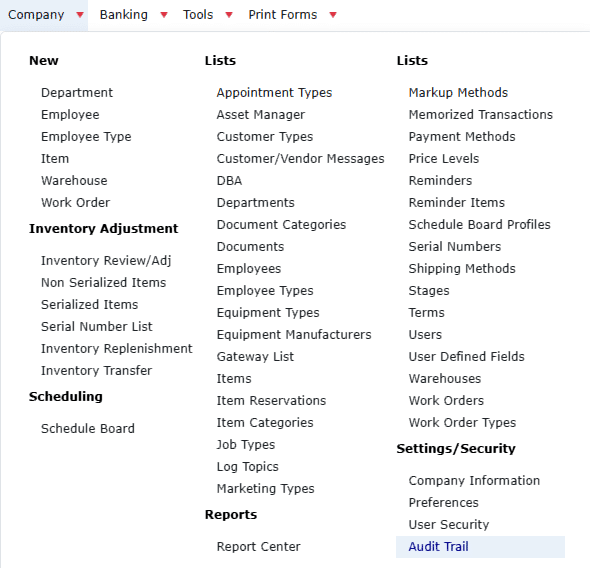
From the main menu, go to: Company > Settings/Security > Audit Trail.
Column Definitions

- Date – Displays the date of the listed event.
- Time – Displays the date of the listed event..
- Action – Briefly describes what action took place (ie: Add, Delete, Edit, Log In /Log out).
- User – Displays the name of the person who made a change to a record and/or transaction.
- Record – Indicates exactly which record and/or transaction had an action performed. This may be a number (like an invoice number) or a reference to a form or report.
- Form – Indicates the type of form in which the transaction took place (ie: Payroll, Banking, Vendors, Customers).
- Details – Total Office Manager may enter special notes into this field to document a high-risk change (like changing certain accounts or historical values). It will usually be blank.
- Version – The version number of Aptora360 in use during a particular audit trail entry.
Tips
- For rock-solid security, no one can delete entries and it CANNNOT be turned off or otherwise deactivated.
- Most of the important forms include a security label that indicates who created the record and when, as well as who last changed the record and when. This label cannot be modified by any user.
- When an employee quits, you might consider saving the last two weeks of their audit trail entries to their HR file.

